
All stories
How to build your business reception in one afternoon in 60 seconds (No Website, No Developer)
Build a business page without a website or a developer. A step-by-step guide to setting up your online reception in one afternoon, from address to first share.
Onyinye Ogbuka 10/23/2026 0 0
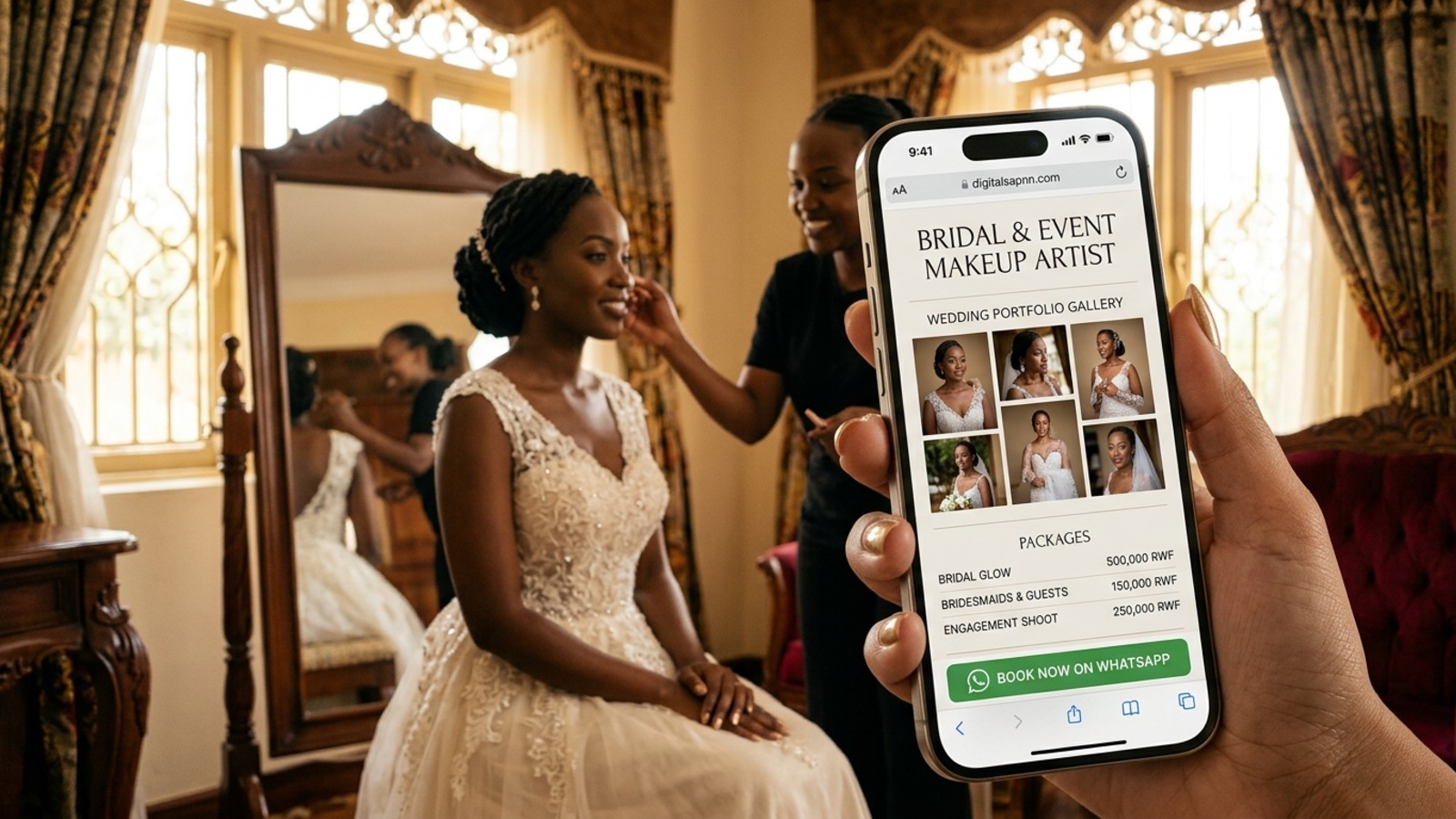
Divine had been meaning to "sort out her online presence" for two years.
She is a makeup artist in Kigali, booked most weekends for weddings and photo shoots. Every few months, she told herself she would build a website. She got as far as comparing templates, asking a cousin for a quote and writing half of an "About me" paragraph. Then a client would message, a shoot would come up, and the project would slide to the bottom of the list.
Meanwhile, her business ran on screenshots. A photo from last month's wedding sent to one client. A price list typed out again for another. A WhatsApp status that vanished after twenty-four hours.
One Sunday afternoon, she sat down with her phone and decided to stop planning and start building. By the end of the afternoon, she had one page with her name, her best photos, her services and a button that let people message her. She did not have a website. She had what she actually needed: a front door.
If you have been putting off your online presence, this guide is for you. You do not need a developer, a designer or a big budget. You need an afternoon, your phone and the steps below.
Why we keep putting it off
Most small businesses delay for the same reasons.
A website feels like a big project. It takes days of setup and ongoing upkeep, for a business that needs to be live this week. Many end up unfinished.
Social profiles feel good enough. They give you discovery, but the audience is rented. You do not own the address, and more reach does not automatically mean more orders.
A link-in-bio page feels quick. But a list of links is a dead end. The visitor leaves, and you learn nothing.
So you stack tools, and your customers keep moving between them, never stopping. What you actually need is one place where a customer arrives, is received, sees what you do, talks to you and then decides where to go.
In other words, a reception.
What you are building
A reception is not a website and not a list of links. It is one page, at one address you own, that does four jobs. It greets visitors, it shows your work, it lets customers talk to you and it keeps the relationship going.
Think of it as a front door with a few rooms behind it: the desk (who you are), the display (what you sell and what it costs), the conversation (how customers reach you), the notice board (what is new) and the street outside (how people find you).
You will build the first four today, and the last one is covered in the final steps.
Before you start: gather five things
You will move faster if you collect these first. A rough list on your phone is enough.
1. A name and a one-line description. Say who you are and what you do in a single sentence, for example, "Bridal and event makeup artist in Kigali."
2. Five to ten of your best photos or short videos. Pick the work you want more of, not everything you have ever done.
3. Your services or products, with prices where you can. Even a starting price helps a customer decide.
4. Your contact details, location and opening hours. Include the ways customers can actually reach you.
5. One piece of proof. A review, a result or a kind message from a happy customer.
Step 1: Claim your address
Go to nlink.pro and sign up. Setup takes a median of 58 seconds, and the free plan needs no credit card.
Then choose your address: nlink.pro/yourname. Treat this choice carefully, because it is the one thing in your online presence that you actually own. Pick a name that is easy to say out loud, easy to spell and, ideally, the same as your social handle. When someone asks, "Where can I find you online?", you should be able to answer in a few words.
Step 2: Set up the desk
The desk is the first thing a visitor sees, so it needs to answer three questions in one look: who are you, what do you do, and how do I reach you?
Add your name, a clear photo and your one-line description. Choose a template that suits your brand, since the look of a page tells visitors a lot before they read a word.
Then add your contact details, your location and your opening hours. If customers ask the same questions again and again, add a short FAQ.
Do not try to say everything. Greet visitors, then let them look around.
Step 3: Build the display
The display is where you show proof. It is what a customer looks at to decide whether you are the right person, before they ever message you.
Add your services or products with prices, so the first question is already answered. Upload your best photos and, if you can, a couple of short videos. Add the piece of proof you gathered, whether that is a review or a result. If you sell products, add your best sellers first.
A good rule is to put the work you want more of at the top. If you want more wedding clients, lead with weddings.
Step 4: Open the conversation
Now give visitors a way to act. A customer who has looked around is ready to move, and the page should make the next step obvious.
Add a message button so people can talk to you directly. If you take appointments, add a booking option. If you handle enquiries, add a short form that asks for what you always need: the date, the type of job, the number of people and the location. If you hold events, add an RSVP.
This is the step that turns a page into a business tool. Instead of starting every conversation from zero, you start with the details already in hand.
Step 5: Pin up the notice board
A page that never changes soon feels abandoned. The notice board keeps it alive between visits, not only on launch day.
Add a short update: this week's work, a new offer, an upcoming event or a note about your availability. You do not need to write essays. A few lines and a photo are enough. Aim to refresh it once a week, so regulars have a reason to come back and new visitors see that you are active.
Step 6: Put the address on everything
Your page only works if people reach it. Now put your address everywhere a customer might look.
• Your Instagram, TikTok and WhatsApp bios
• Your WhatsApp status, regularly
• Your business cards, flyers, packaging and wrappers, ideally with a QR code
• Your email signature and invoices
• A message to your regulars: "I now have one page with my work, prices and booking. Here is the link."
When a customer asks, "Where can I see your work?" or "How much is it?", you send one link. It answers the question before you have to type a word.
Also ask a few happy customers to forward the link to a friend. A recommendation from someone they trust is the strongest way a new customer will find you, and now it has somewhere to land.
Step 7: Check in once a week
A reception that is never measured never gets better. Set aside ten minutes each week to look at what happened.
See how many people visited your page. Look at the bookings, messages and form responses that came in. Notice which parts of the page seem to draw attention and which seem to be ignored.
If many people visit but few get in touch, make your message button more visible or simplify your form. If one service gets the most interest, give it more space.
Small adjustments, made weekly, add up quickly.
Five mistakes to avoid
Waiting until it is perfect. A live page with your essentials beats a perfect page that never launches. You can improve it every week.
Showing everything. A hundred photos make an archive, not a portfolio. Choose your best.
Hiding your prices. You do not need to list every price, but giving a sense of cost saves time and filters out the wrong enquiries.
Skipping the call to action. Every page should make the next step obvious, whether that is to book, message or register.
Forgetting to share it. A page nobody visits is just a draft. Put the address everywhere you appear.
Your afternoon plan
If you want a simple schedule, here is how an afternoon can go:
1. First 15 minutes: gather your photos, prices and details.
2. Next 20 minutes: sign up, claim your address and set up the desk.
3. Next 40 minutes: build the display with services, photos and proof.
4. Next 20 minutes: add a message button, booking or form.
5. Next 15 minutes: pin one update on the notice board.
6. Last 20 minutes: test it on your phone, then share it in your bio and your status.
That is just over two hours, and you will have something that most businesses spend weeks trying to build.
Give your business somewhere to stop
You do not need a perfect website to give your customers a good first impression. You need a place where they can arrive, be received, see what you do and talk to you.
Nlink was built for exactly that. Every business gets a page at nlink.pro/yourname that greets visitors, shows your work and prices, lets customers message, book or register, keeps your updates fresh and shows you what happened while people were there. It is built for phones, including mid-range phones on mobile data, and the free plan needs no credit card.
Here is what to do today.
1. Go to nlink.pro and claim your free page.
2. Gather your five things: a name, your best photos, your services, your contact details and one piece of proof.
3. Build the desk, the display and the conversation, in that order.
4. Share your address in your bio, your status and on everything you print.
Your customers are already looking for you. Claim your free page at nlink.pro and give them somewhere to stop.